
Click on the Settings icon (the gear) located to the right of the search bar. This will take you to this Go to Settings and Configurations at the top right of your screen. This will take you to this page:
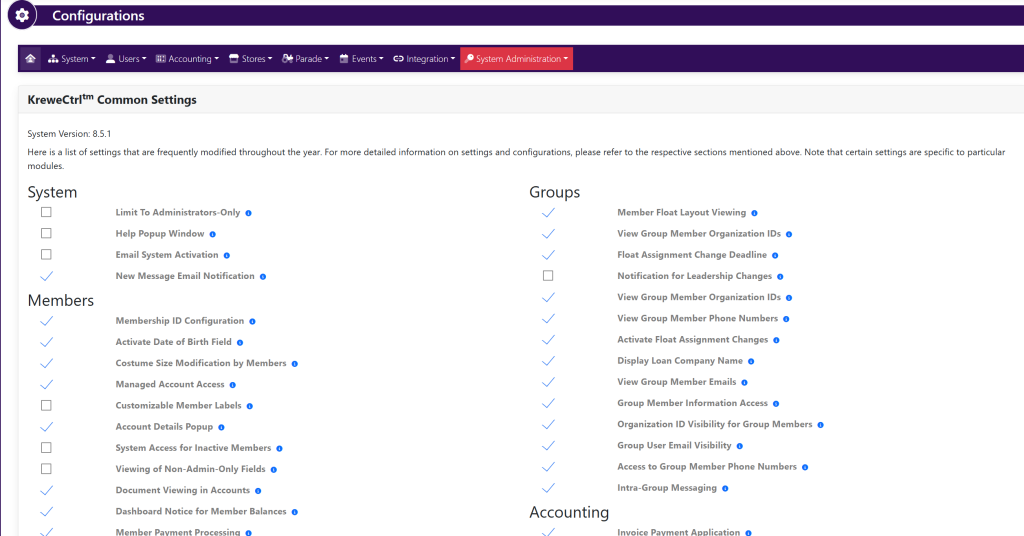
Within the horizontal navigation bar select Parade. Then, select Chassis. This will take you to this page:
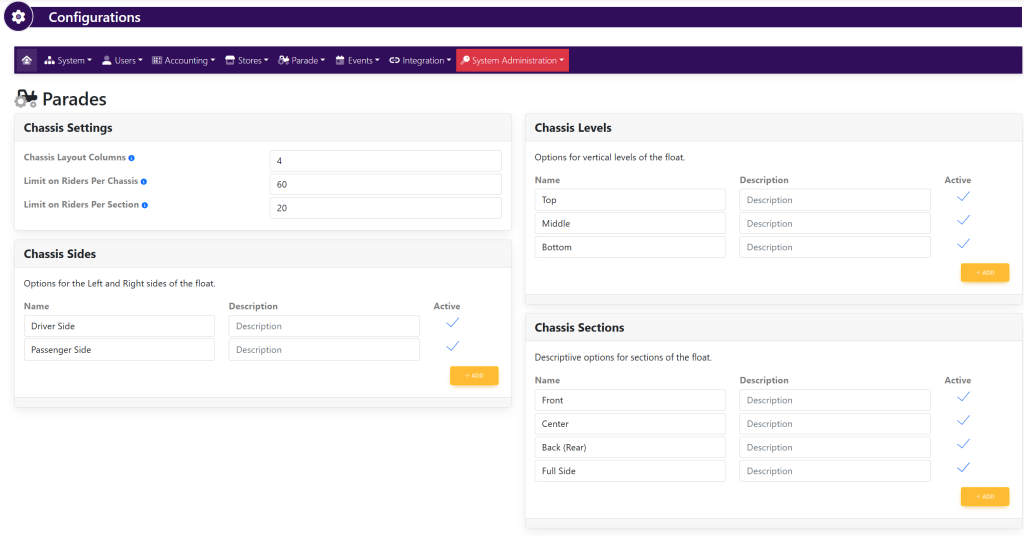
Within the Chassis Settings box, fill in the following information:
- Chassis Layout Columns
- Limit on Riders Per Chassis
- Limit on Riders Per Section
Within the Chassis Levels box, fill in the following information:
- Name
- Description
- Active/Inactive
- +Add a level
Within the Chassis Sides box, fill in the following information:
- Name
- Description
- Active/Inactive
- +Add a side
Within the Chassis Sections box, fill in the following information:
- Name
- Description
- Active/Inactive
- +Add a side
As you are making changes, select the green button titled Update in each pop up that appears to save your progress.