
Go to Settings and Configurations at the top right of your screen. This will take you to this page:
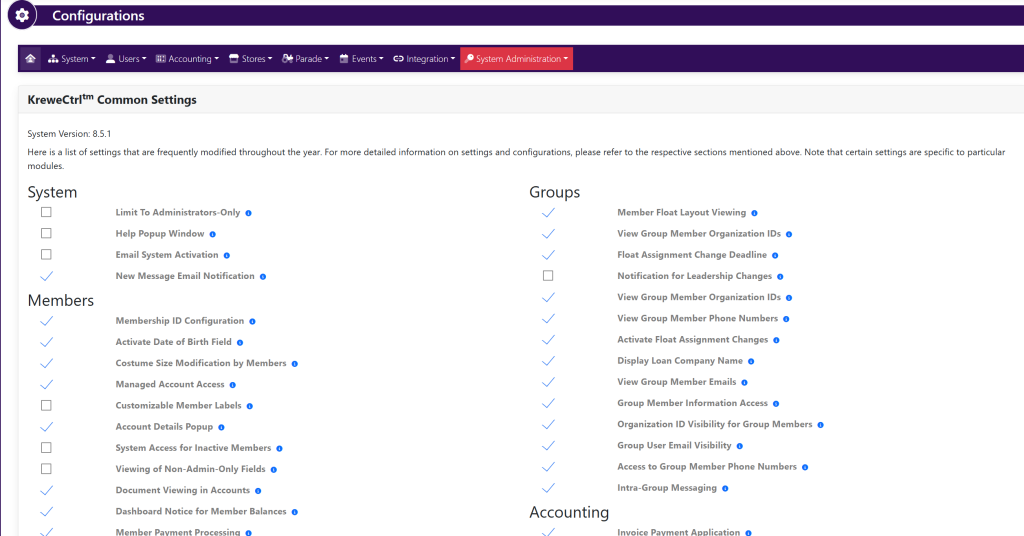
Within the horizontal navigation bar select Parade. Then, select Chassis. This will take you to this page:
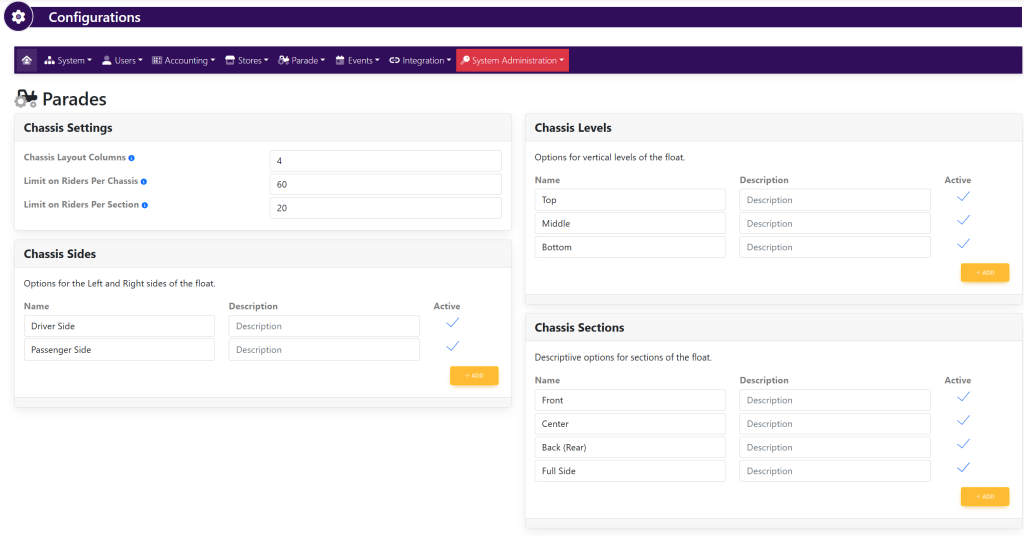
Within the Chassis Settings box, fill in the following information:
- Chassis Layout Columns
- Limit on Riders Per Chassis
- Limit on Riders Per Section
Within the Chassis Levels box, fill in the following information:
- Name
- Description
- Active/Inactive
- +Add a level
Within the Chassis Sides box, fill in the following information:
- Name
- Description
- Active/Inactive
- +Add a side
Within the Chassis Sections box, fill in the following information:
- Name
- Description
- Active/Inactive
- +Add a side
As you are making changes, select the green button titled Update in each pop up that appears to save your progress.