
Within the left navigation bar under News & Calendar, select Announcements. This will take you here:
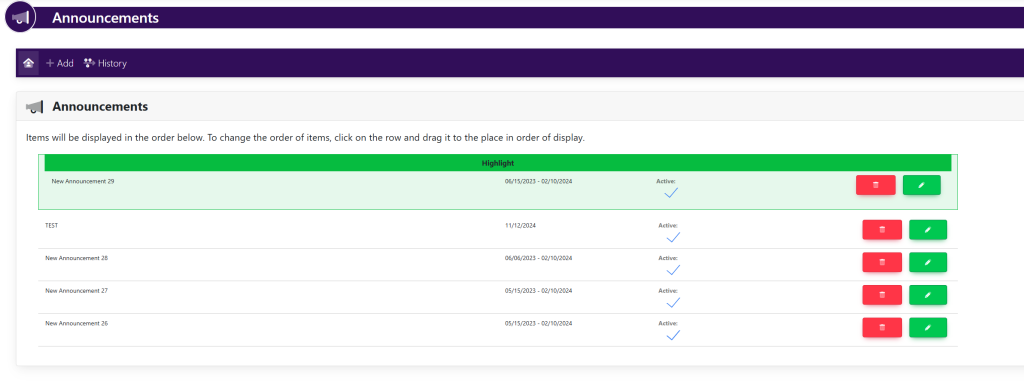
In the horizontal navigation bar , select the button titled Add. This will take you here:
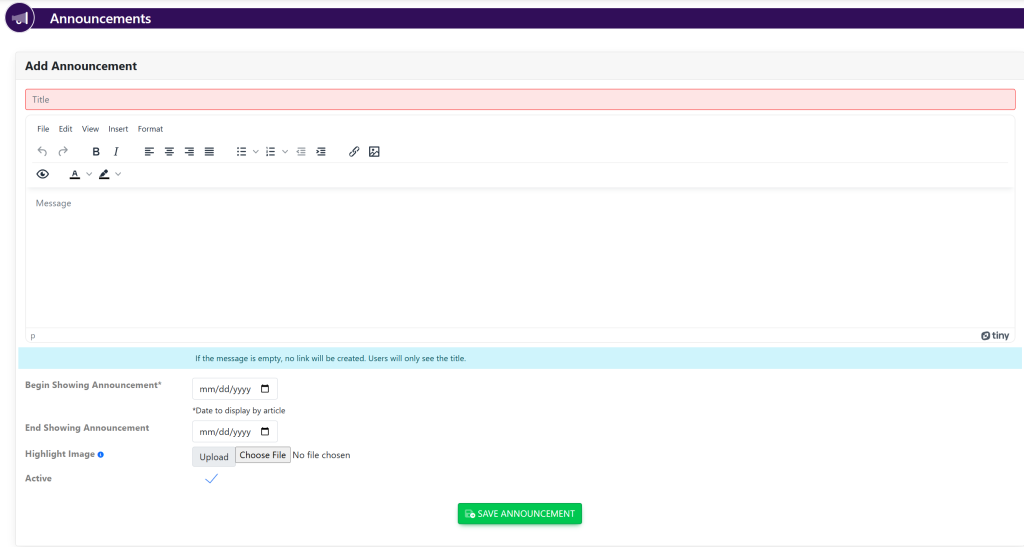
Fill out the following information:
- Announcement Title
- Verbiage for your announcement
- Begin Showing Announcement (use the calendar pop-up to choose the date that you want the announcement to start showing)
- End Showing Announcement (use the calendar pop-up to choose the end date)
- Highlight Image (image to the announcement)
- Active/Inactive
To save your announcement, click the green button to the bottom of the screen titled Save Announcement.