
On the left-hand side of the screen in the navigation bar under Member, select Group(s). This will take you here:
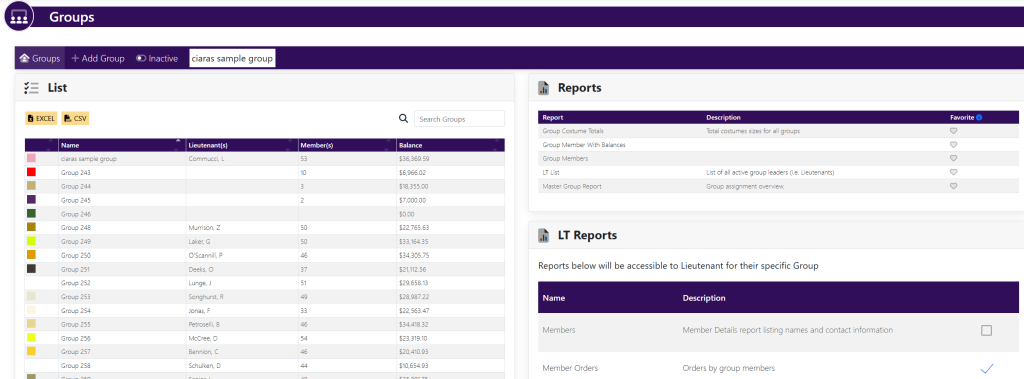
In the box titled List, select the group you want to edit. This will take you here:
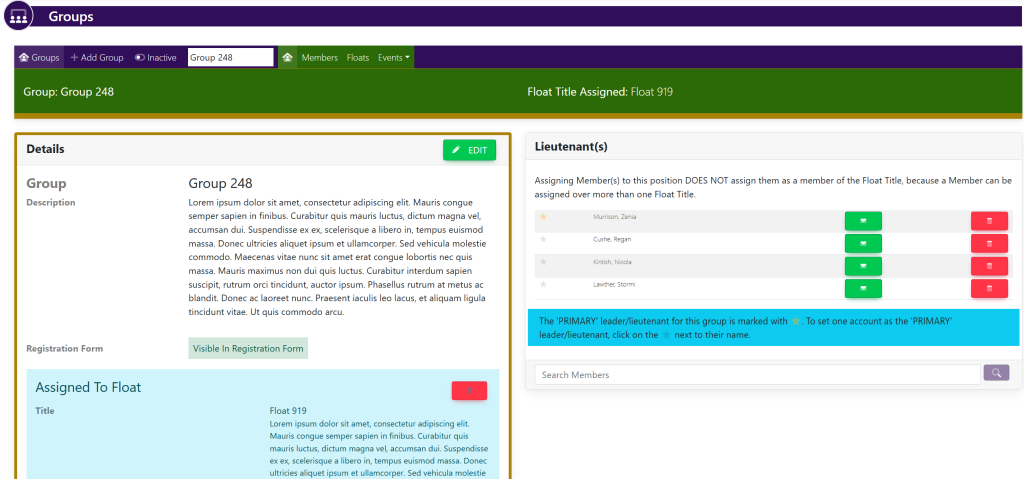
In the horizontal navigation bar, select Members. This will take you here:
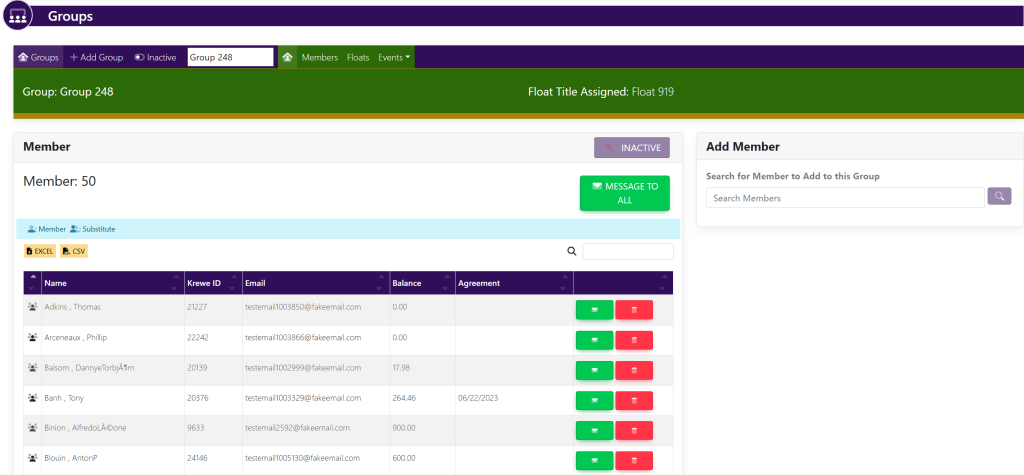
To remove a member, select the red button with a trash can icon to the right the members’ name.