
There are a limited number of reports for Lieutenants to access (Group Leaders). To activate these reports:
Go to Group(s) on the left navigation. This will take you here:
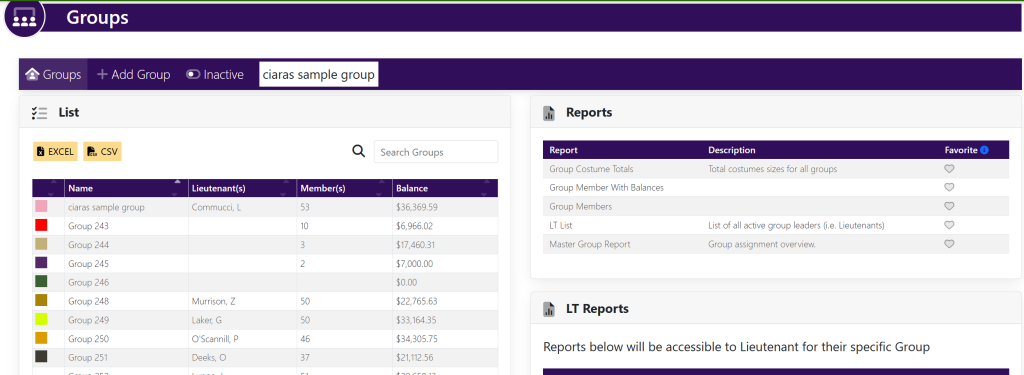
The LT Reports box contains the reports to turn on/off for the LT’s. See below:
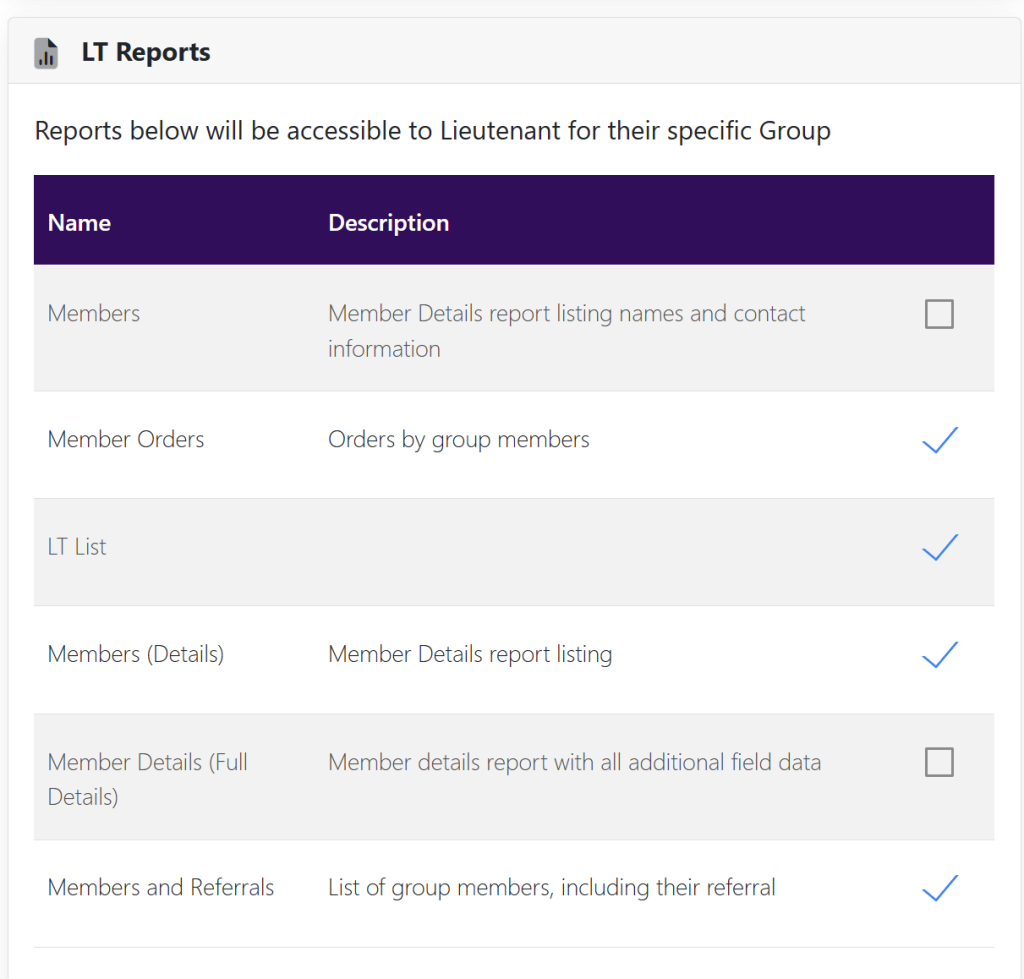
Next to the report name, you can turn the reports on and off by selecting the checkmark.
Once active, the reports will appear on all lieutenant group pages.