
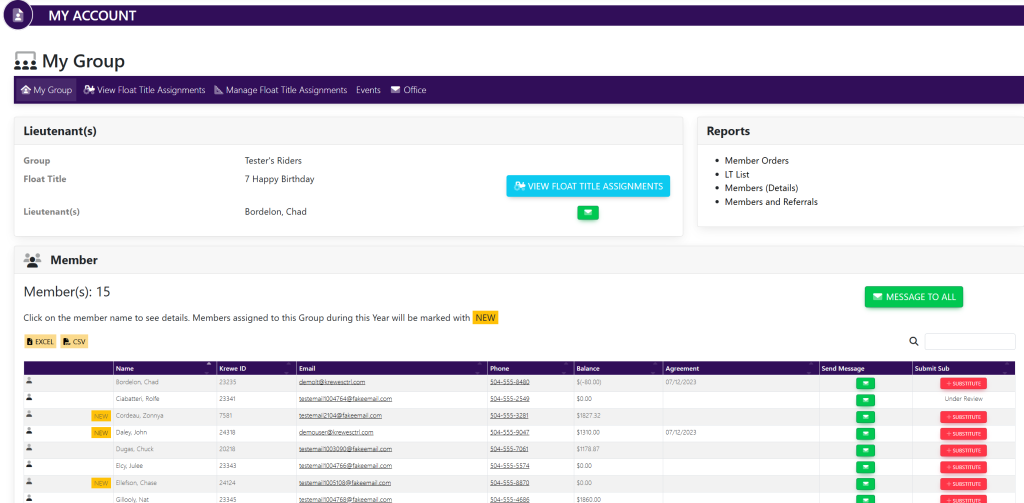
Within the left side navigation bar, select My Group. This will take you here:
Within the horizontal navigation bar, select Manage Float Assignments. This will take you here:
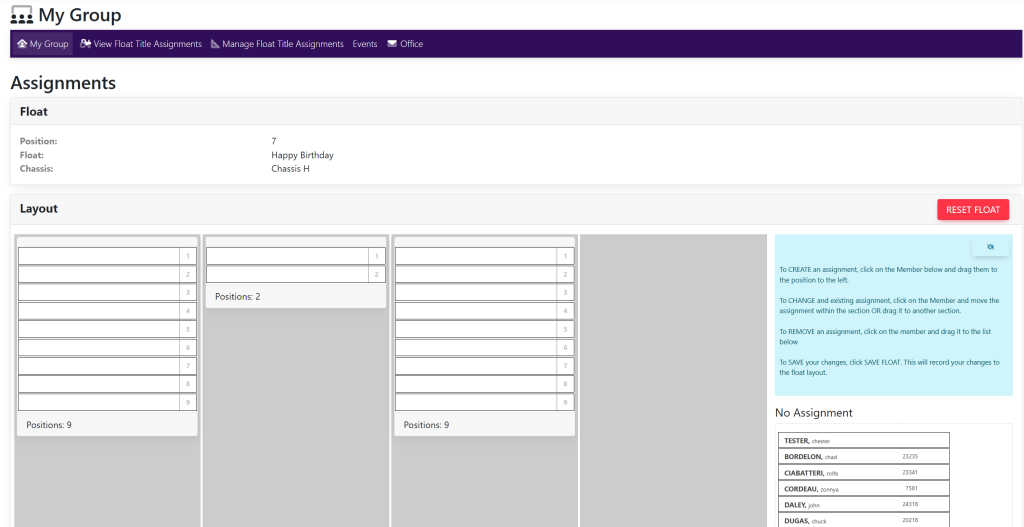
Within the Layout box, there will be a list of names under the No Assignment column.
Drag and drop the name of the desired member into their respective float position. Your page will now look like this:
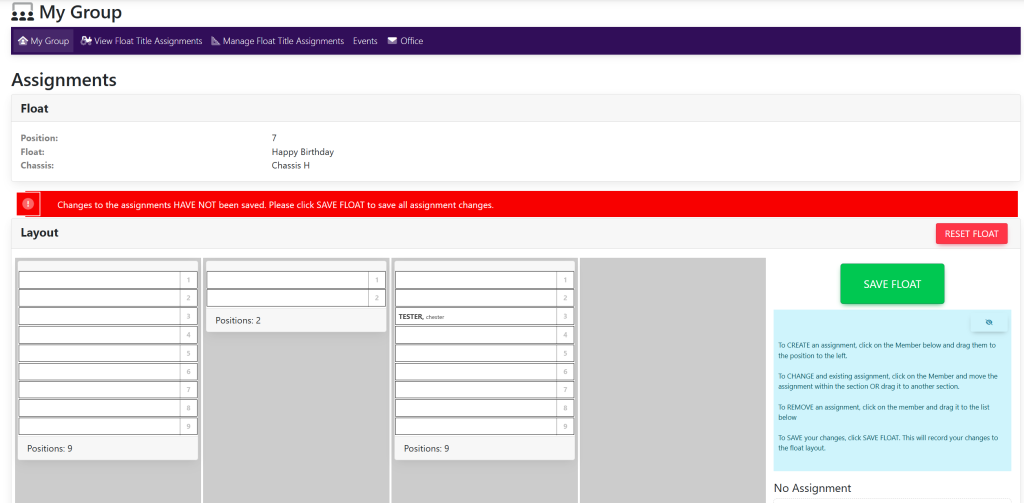
Once you have assigned members to their desired positions, select the green button titled Save Float.