
KREWES CONTROL MANAGEMENT SOFTWARE GUIDE
  • Administration
  • Glossary
  1. Home
  2. Knowledge Base
  3. My Account
  4. Account Details
  5. Change profile picture
  1. Home
  2. Knowledge Base
  3. My Account
  4. Change profile picture
Searching...

Change profile picture

In the left side bar, select My Account. This will take you here:
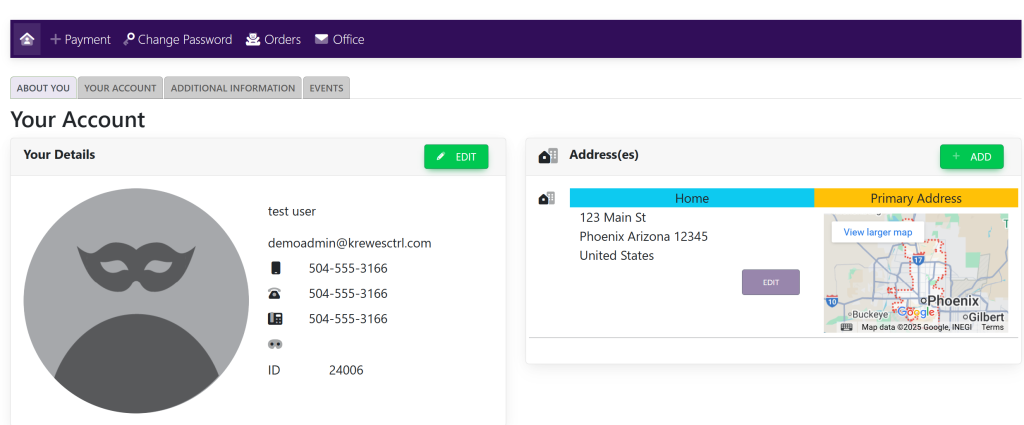
In the Your Details box, click on the profile picture. A pop-up will appear that looks like this:
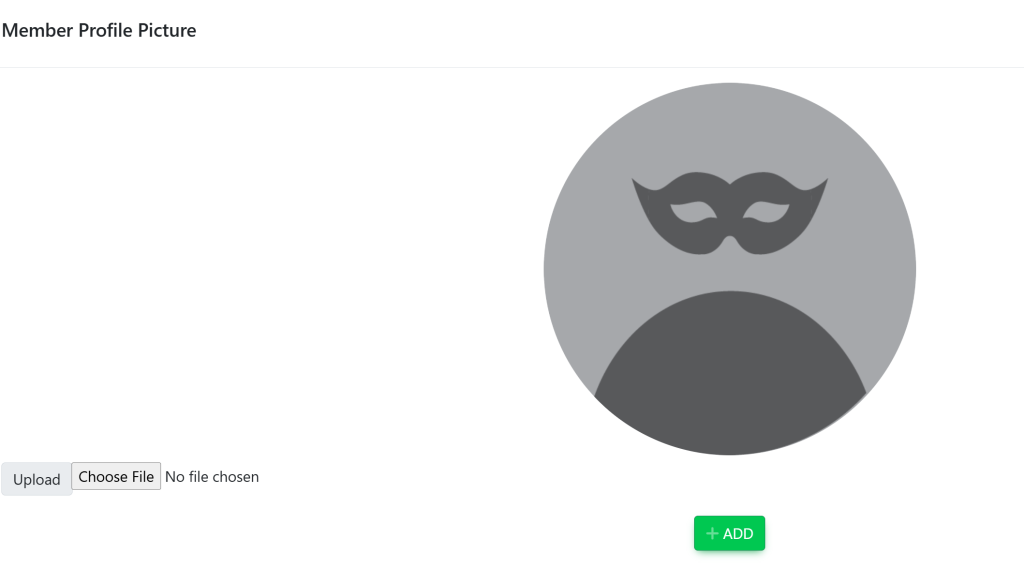
Select Choose File. A pop-up will appear that will allow you to select a file from your local computer.

Then, select the green button titled Update.

Updated on July 9, 2025

Related Articles

  • Delete Invoice
  • Edit Invoice
  • Turn On/Off Admin Access To View All Messages Sent In System
  • Turn On/Off Content Displayed In Emails From The System
  • Turn On/Off New Message Notification Emails
  • Guest Ticket Set Up/ETail
© Copyright BayouNorth.
  • Features
  • Blocks
  • FAQ