
KREWES CONTROL MANAGEMENT SOFTWARE GUIDE
  • Administration
  • Glossary
  1. Home
  2. Knowledge Base
  3. My Account
  4. Create Event Section
  1. Home
  2. Knowledge Base
  3. Administration
  4. System Configurations
  5. Create Event Section
  1. Home
  2. Knowledge Base
  3. Events
  4. Create Event Section
  1. Home
  2. Knowledge Base
  3. Administration
  4. Create Event Section
  1. Home
  2. Knowledge Base
  3. System Configurations
  4. Events
  5. Create Event Section
  1. Home
  2. Knowledge Base
  3. Events
  4. Create Event Section
Searching...

Create Event Section

Within the left side bar under EVENTS, select Events. This will take you here:
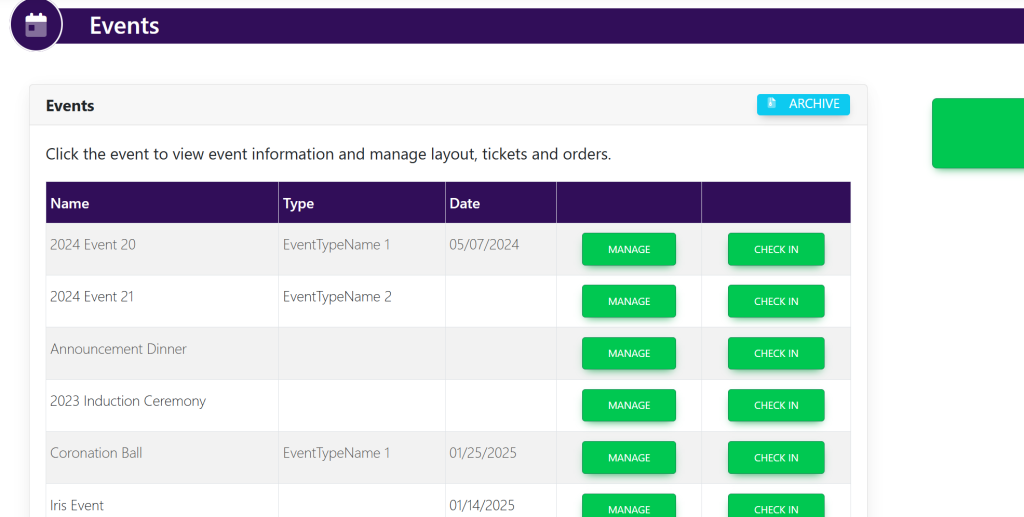
Select your event. This will take you here:

In the horizontal bar at the top, select Tables. A drop down will appear. Select Sections. This will take you here:
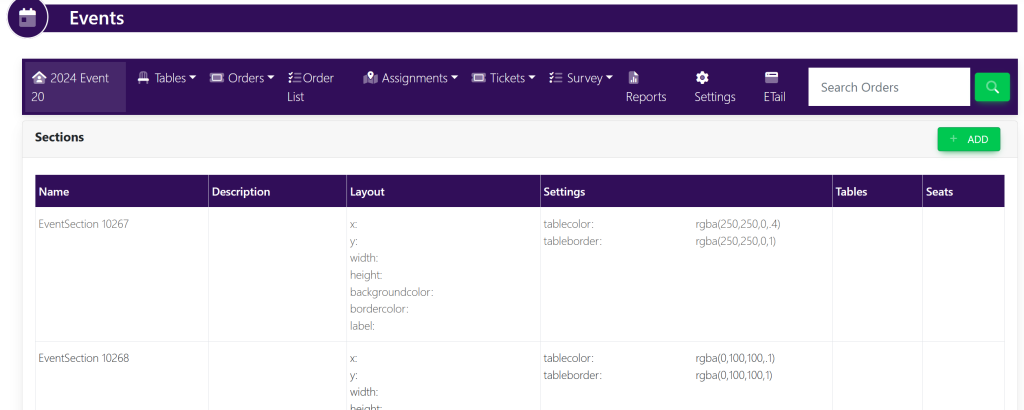
In the top right-hand corner, select +Add. A pop-up will appear that looks like this:
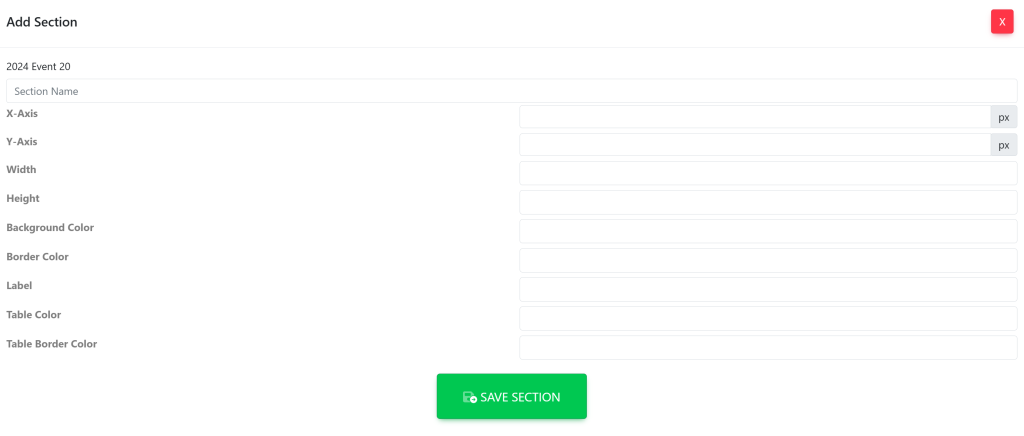
Insert the data within the corresponding boxes:

  • Section Name
  • X-Axis
  • Y-Axis
  • Width
  • Height
  • Background Color
  • Boarder Color
  • Label
  • Table Color
  • Table Border Color

Once finished, select Save Section. Your new section will appear in the list. It will now look like this:
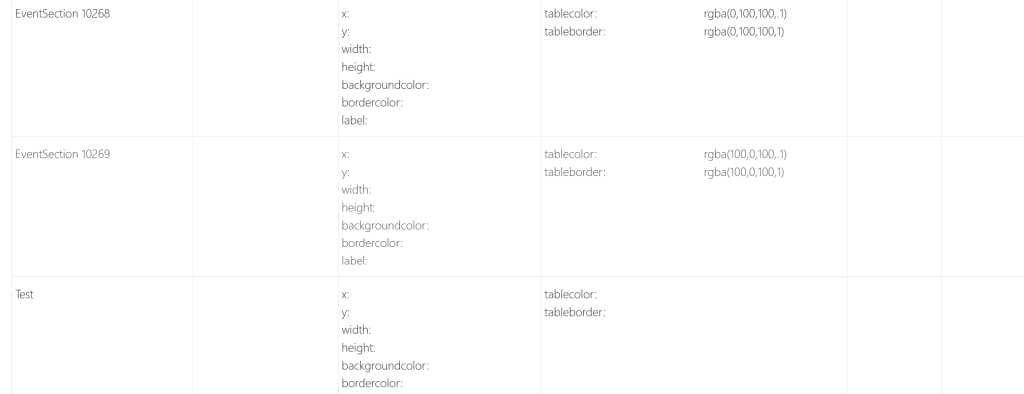
These are samples.

Updated on July 9, 2025

Related Articles

  • Delete Invoice
  • Edit Invoice
  • Edit Payment
  • Add Payment Type
  • Setting Up ACH For A KrewesCtrl User With GrowSimple
  • FAQ: Invoices Are Not Being Created When Event Orders Are Created
© Copyright BayouNorth.
  • Features
  • Blocks
  • FAQ