
KREWES CONTROL MANAGEMENT SOFTWARE GUIDE
  • Administration
  • Glossary
  1. Home
  2. Knowledge Base
  3. My Account
  4. Account Details
  5. Display Previous Balances
  1. Home
  2. Knowledge Base
  3. My Account
  4. Display Previous Balances
  1. Home
  2. Knowledge Base
  3. Invoices
  4. Display Previous Balances
  1. Home
  2. Knowledge Base
  3. Administration
  4. Display Previous Balances
  1. Home
  2. Knowledge Base
  3. Invoices
  4. Display Previous Balances
Searching...

Display Previous Balances

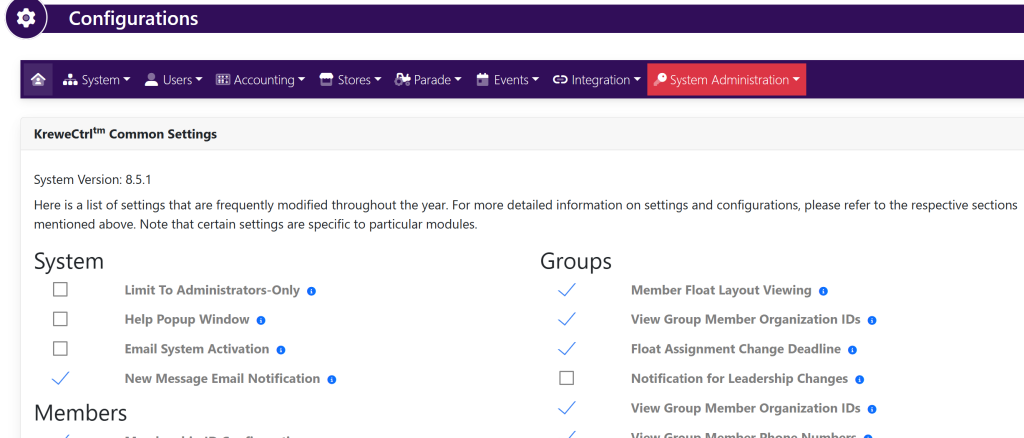
On the top right hand of the screen, select the gear icon. This will take you here:
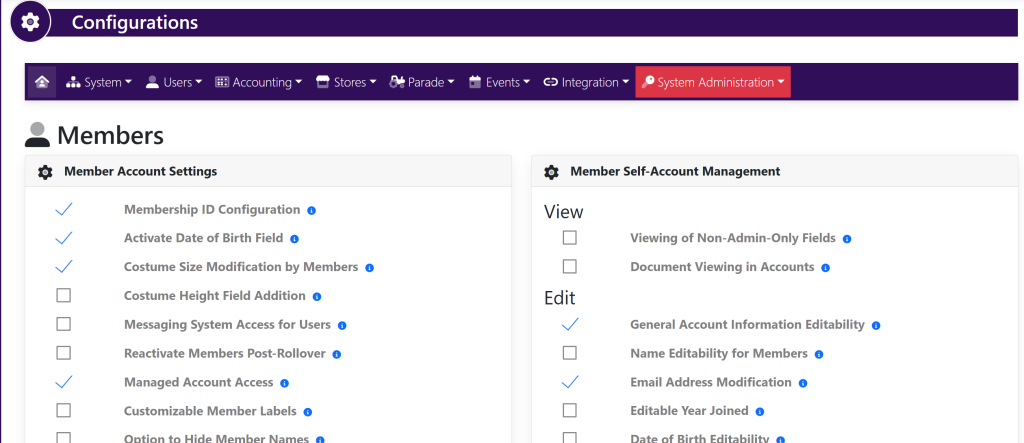
Within the horizontal navigation bar, select Users. Then, select Settings. This will take you here:
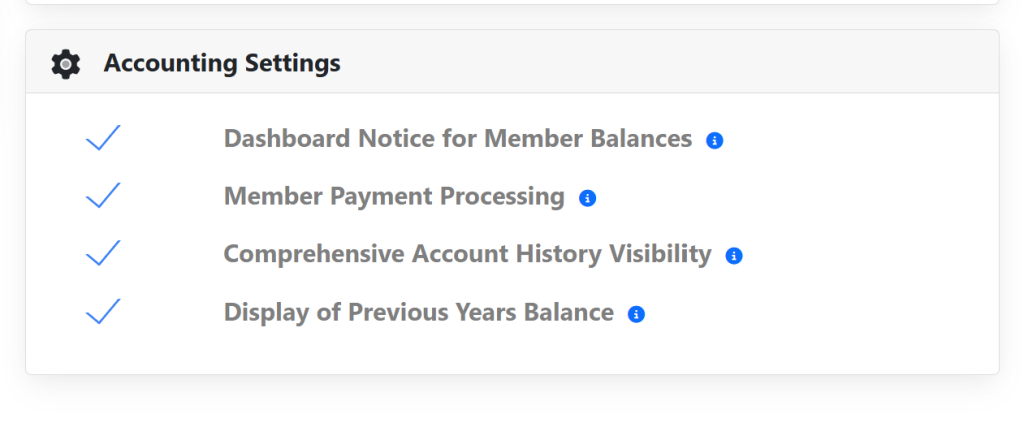
In the Accounting Settings box, select/deselect the check mark to the left of Comprehensive Account History Visibility shown below.
Updated on July 9, 2025

Related Articles

  • Delete Invoice
  • Edit Invoice
  • Edit Payment
  • Add Payment Type
  • Setting Up ACH For A KrewesCtrl User With GrowSimple
  • FAQ: Invoices Are Not Being Created When Event Orders Are Created
© Copyright BayouNorth.
  • Features
  • Blocks
  • FAQ