
1. Home
  2. Knowledge Base
  3. Administration
  4. Orders
  5. Ticket Design – How To Edit Printable Ticket Layout.
  1. Home
  2. Knowledge Base
  3. Administration
  4. System Configurations
  5. Ticket Design – How To Edit Printable Ticket Layout.
  1. Home
  2. Knowledge Base
  3. Administration
  4. Ticket Design – How To Edit Printable Ticket Layout.
  1. Home
  2. Knowledge Base
  3. System Configurations
  4. Events
  5. Ticket Design – How To Edit Printable Ticket Layout.
  1. Home
  2. Knowledge Base
  3. Events
  4. Ticket Design – How To Edit Printable Ticket Layout.

Ticket Design – How To Edit Printable Ticket Layout.

On the left hand sidebar under EVENTS, select Events. This will take you here:
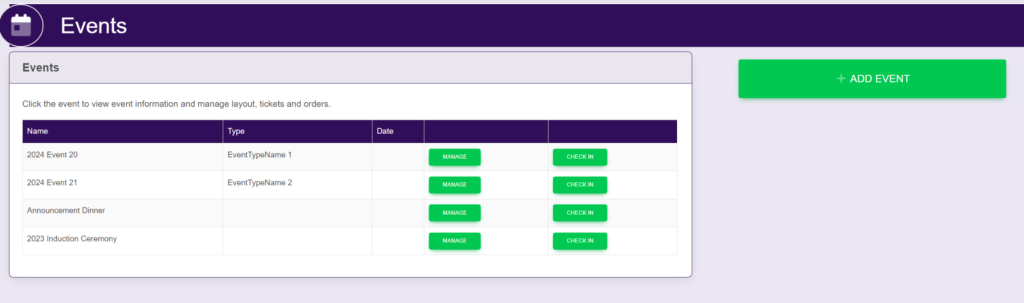
Select the desired event. This will take you here:
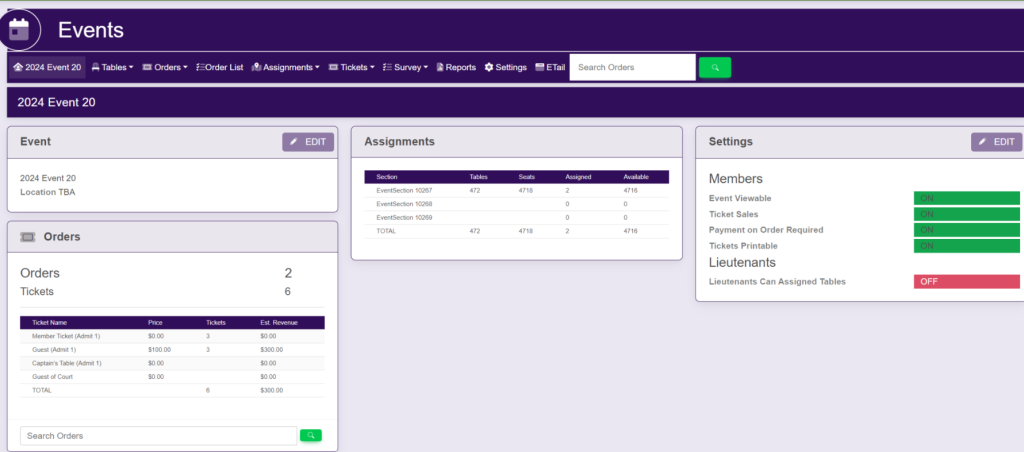
In the horizontal bar at the top of the page, select Ticket. A drop down will appear. Select Ticket Design. This will take you here:
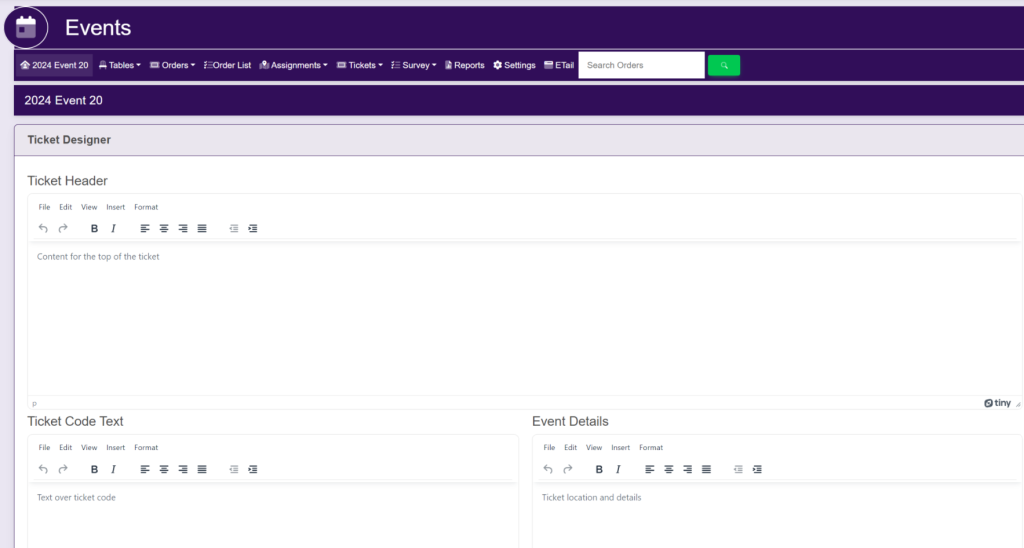
Within the Ticket Designer box, fill out the corresponding fields:

  • Ticket Header
  • Ticket Code Text
  • Event Details
  • Additional Content
  • Custom Styling

Then, select the green button located at the bottom of the screen titled Update.

Updated on July 16, 2025

Related Articles