
Create a guest ticket by following the directions here.
Within the horizontal navigation bar to the right, select ‘ETail’. This will take you here:
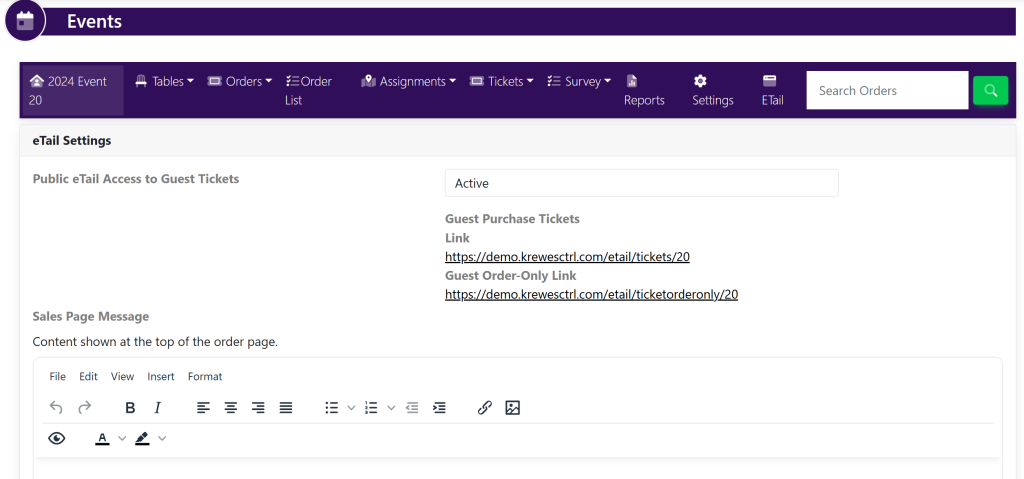
To the right of ‘Public eTail Access to Guest Tickets’, make sure that it is set to Active. This will allow guests to visit the link and have access to purchase tickets.
If you do not want guests to have access, set it to Inactive.
Once finished, scroll to the bottom of the screen and select the yellow button that says ‘Update Etail Settings’.