
In the left side bar, select Calendar under News & Calendar. This will take you here:

Select +ADD ITEM within the horizontal navigation bar. This will take you here:
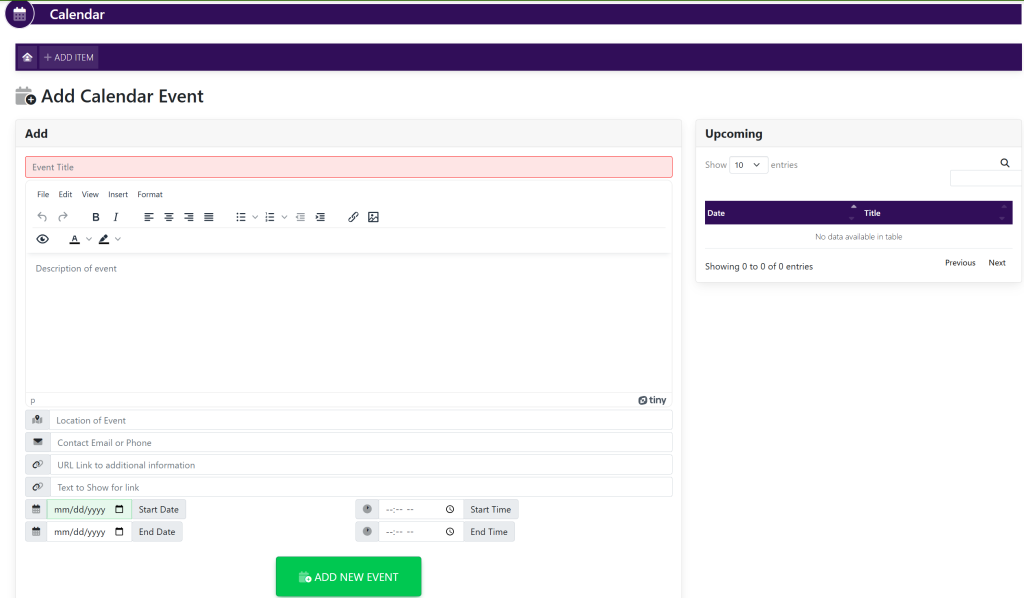
- Enter Fields
- Event Title
- Description
- Location of Event
- Contact Email or Phone
- URL Link to Additional Information
- Text to Show for Link – Text that will appear with linked URL Link
- Start Date
- Start Time
- End Date
- End Time
Select the green button titled ADD NEW EVENT.