
Within the left side navigation bar under Account, select Charges. This will take you here:
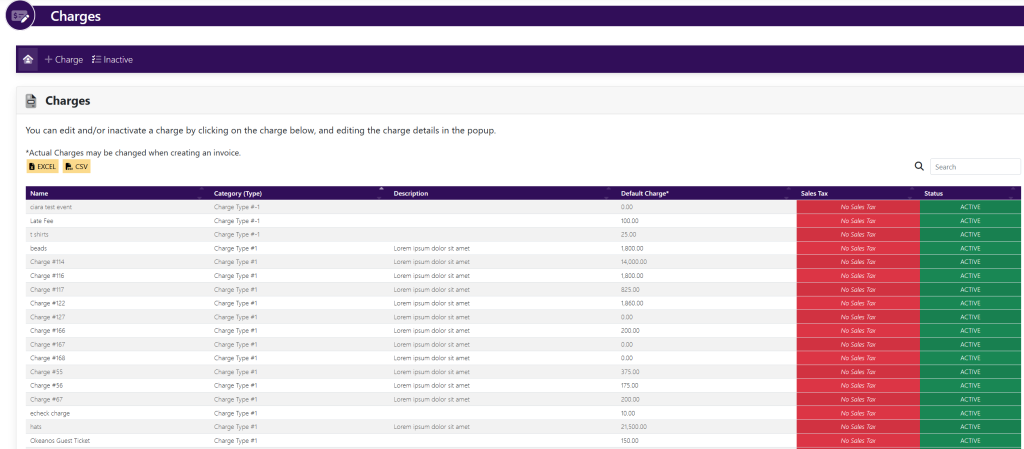
In the horizontal navigation bar, select +Charge. A pop up will appear that looks like this:
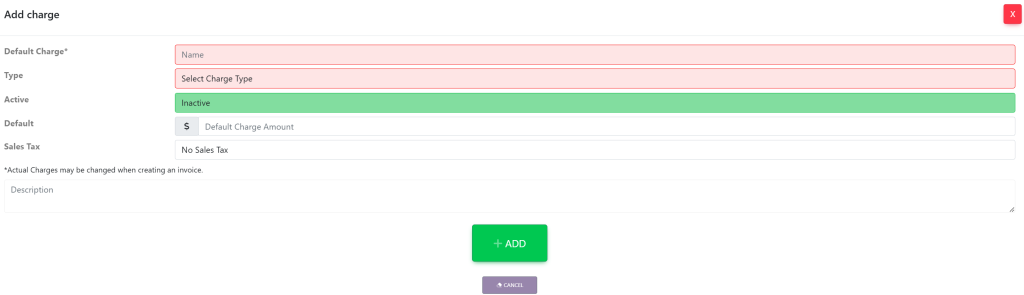
Fill in the required information:
- Default Charge – The name of the charge
- Type
- Active/Inactive
- Amount of the charge
- Sales Tax
- Description
When you have finished creating your charge, select the green button titled +Add at the bottom of the screen.