
On the left-hand side of the screen in the navigation bar under Events, select Carnival Year. This will take you here:
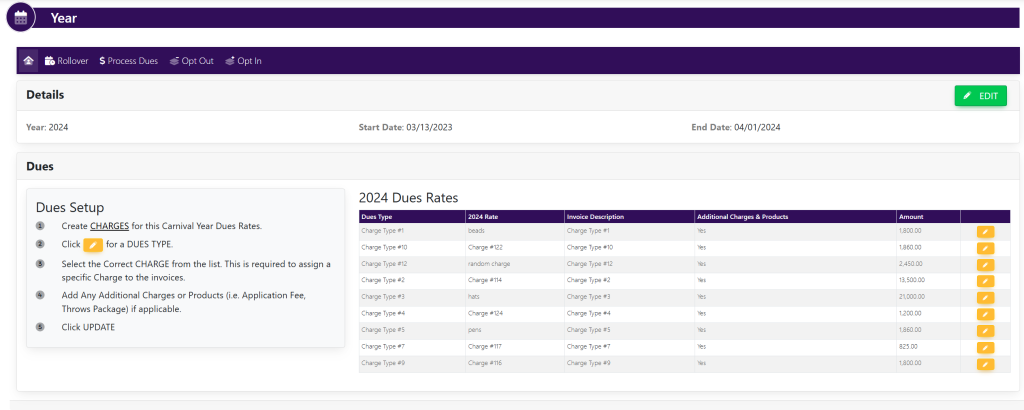
To edit, click the button with the pencil icon located to the right of the desired dues. A pop-up will appear that looks like this:
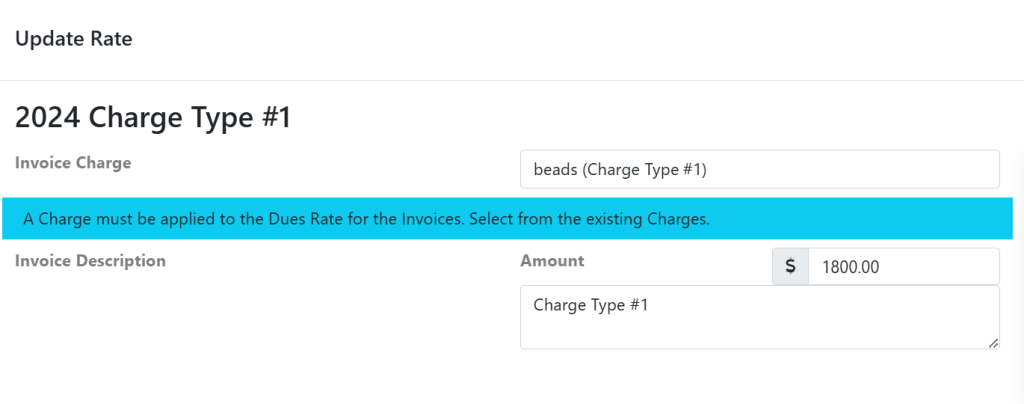
In the pop-up window titled Update Rate, you can change the charge, add a description for the invoice, and edit the amount by clicking on the appropriate boxes.
When done, select the green button titled Update to save changes.