
KREWES CONTROL MANAGEMENT SOFTWARE GUIDE
  • Administration
  • Glossary
  1. Home
  2. Knowledge Base
  3. My Account
  4. Edit Invoice
  1. Home
  2. Knowledge Base
  3. Invoices
  4. Edit Invoice
  1. Home
  2. Knowledge Base
  3. Administration
  4. Edit Invoice
Searching...

Edit Invoice

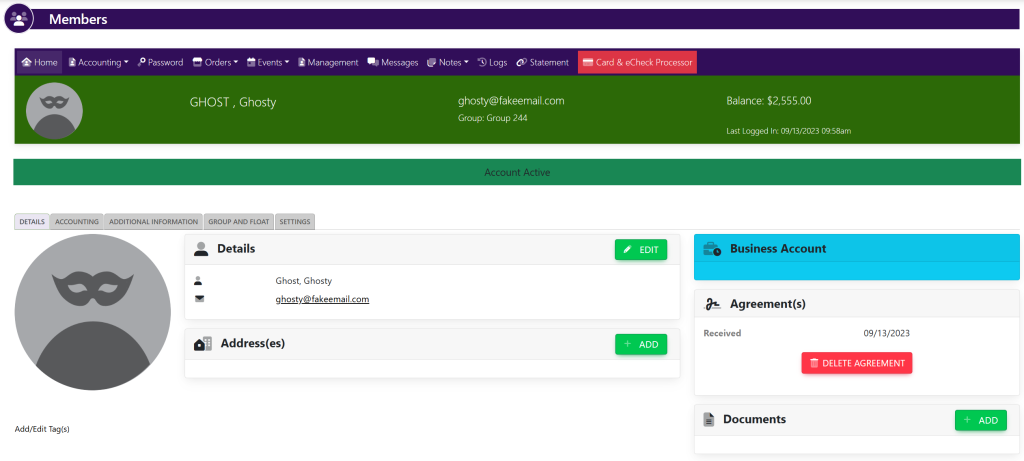
Search for the members’ account by following the directions here. Then, select View. This will take you here:
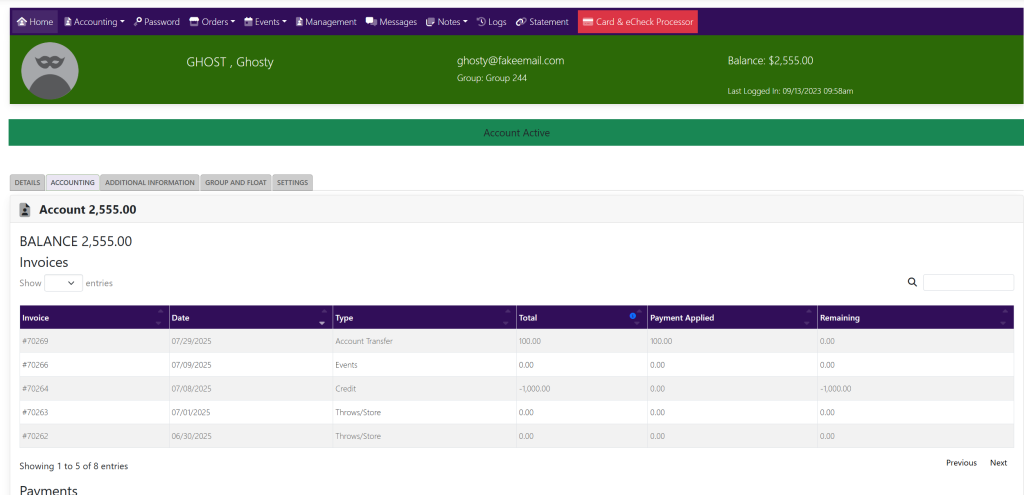
Select the Accounting tab. This will take you here:
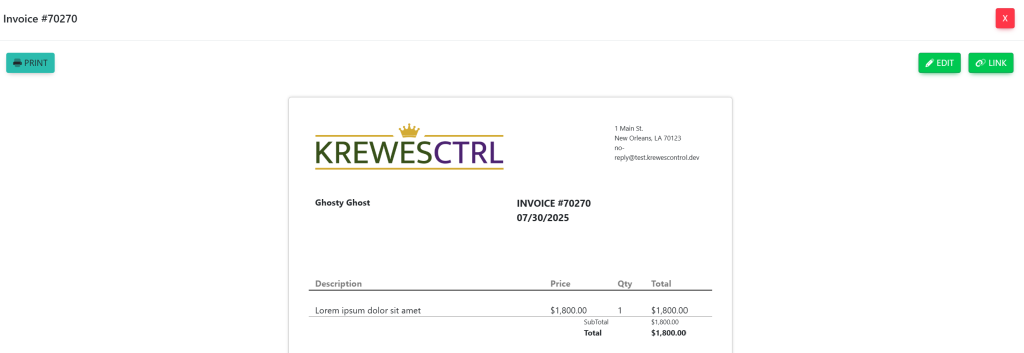
Select the invoice that you wish to edit. A pop up will appear that looks like this:
Select the green button titled Edit in the top right corner. This will take you here:
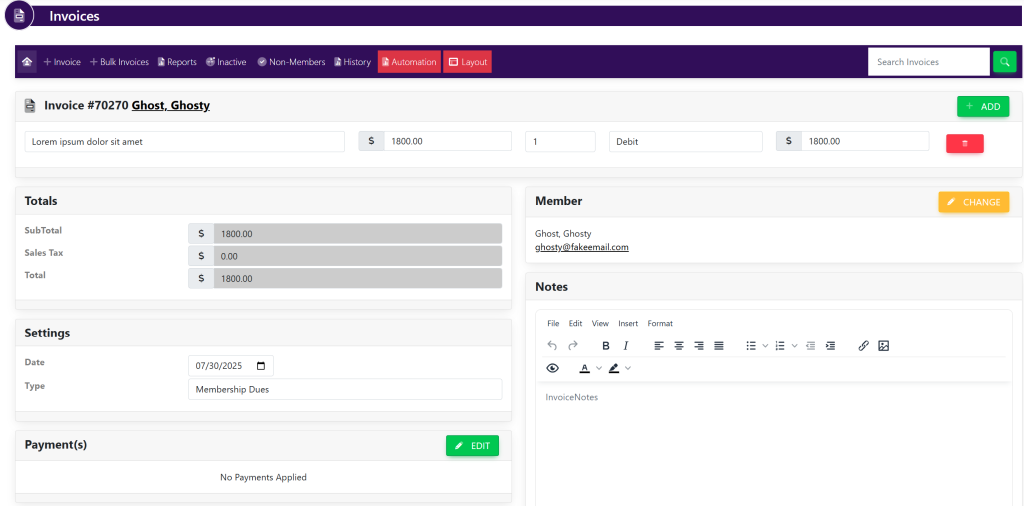
You can add a line item to the invoice by select the green button titled +Add and selecting desired items.

You can remove items from the invoice by selecting the red trashcan to the right of the line items within the box titled Invoice # [number] [User Name].

Updated on July 30, 2025

Related Articles

  • Delete Invoice
  • Edit Payment
  • Add Payment Type
  • Setting Up ACH For A KrewesCtrl User With GrowSimple
  • FAQ: Invoices Are Not Being Created When Event Orders Are Created
  • Add Late Fees To Dues
© Copyright BayouNorth.
  • Features
  • Blocks
  • FAQ