
Within the left side navigation bar under Member, select Group(s). This will take you here:
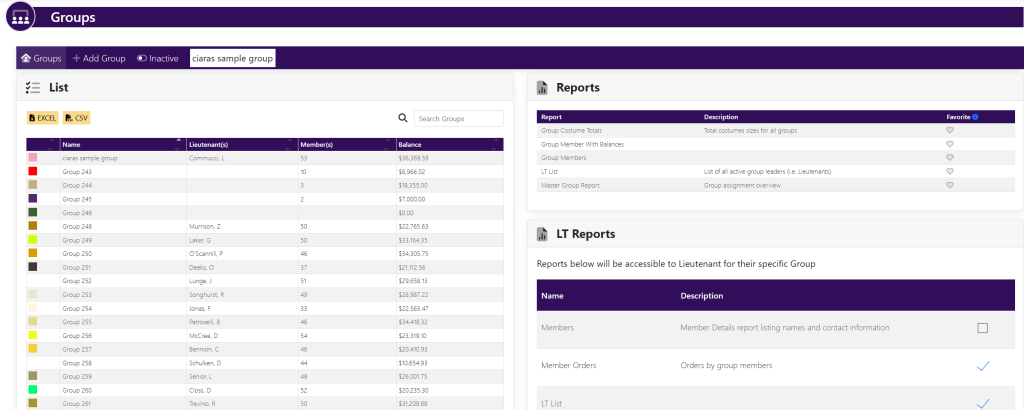
Within the box titled List, select the group you wish to edit. This will take you here:
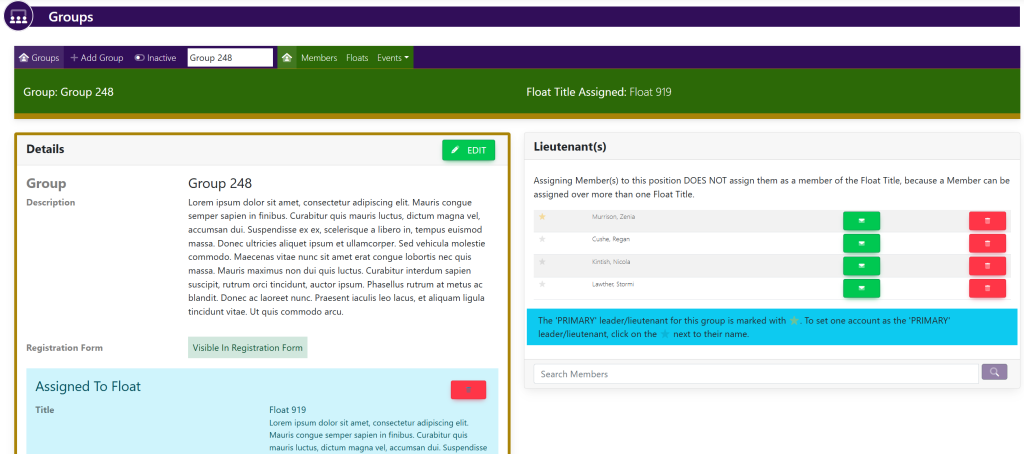
In the box titled Details, select the green Edit button. Your page will now look like this:
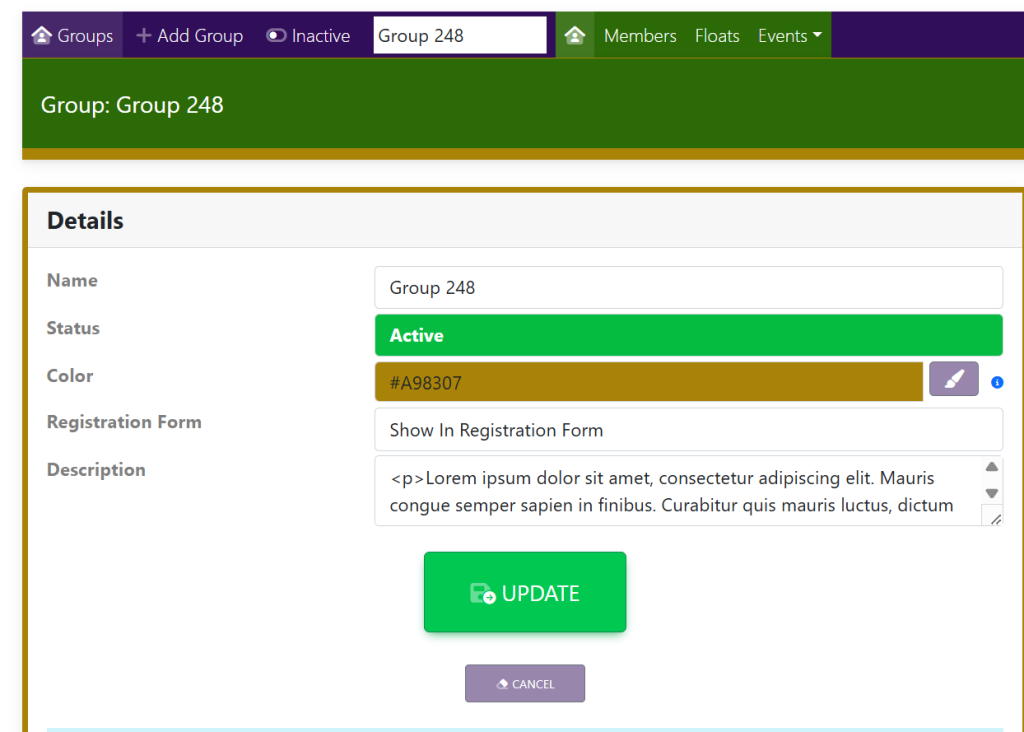
Fill in the following information:
- Name
- Active/Inactive
- Color Association
- Show In Registration Form
- Description
When you have finished updating the group details, select the green Update button.
To cancel making changes to the group, select the smaller purple Cancel button below the Update button.