
Within the left side navigation bar, select My Group. This will take you here:
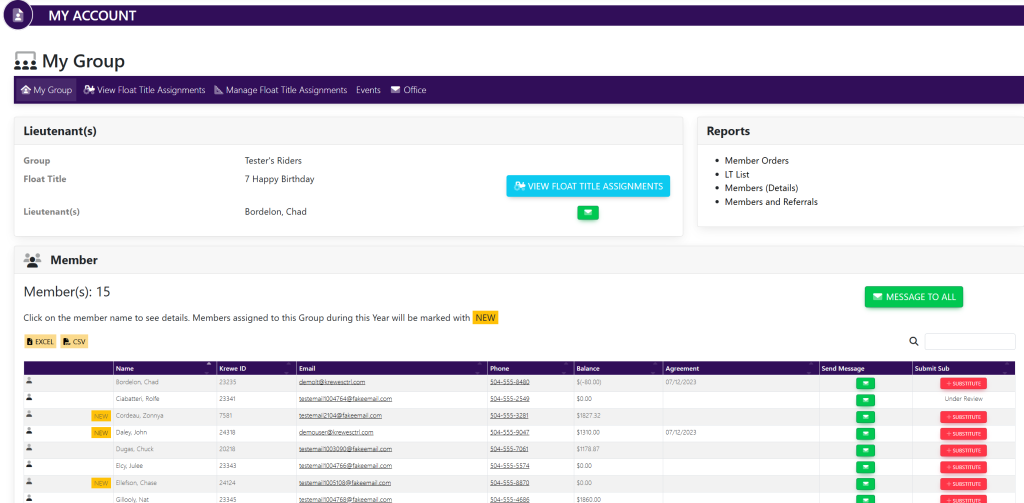
Inside of the box titled Member, select the green button titled Message To All. A pop up will appear that looks like this:

Fill in the following information:
- Subject
- Message
Once finished, select the green button titled Send Message.
Alternatively
You may send an individual message to a member by selecting the green envelope to the right of their information within the Members list.