KREWES CONTROL MANAGEMENT SOFTWARE GUIDE
  • Administration
  • Glossary
  1. Home
  2. Knowledge Base
  3. System Layout
  4. Messages Popup (View)
Searching...

Messages Popup (View)

Go to the Messages module. See here:
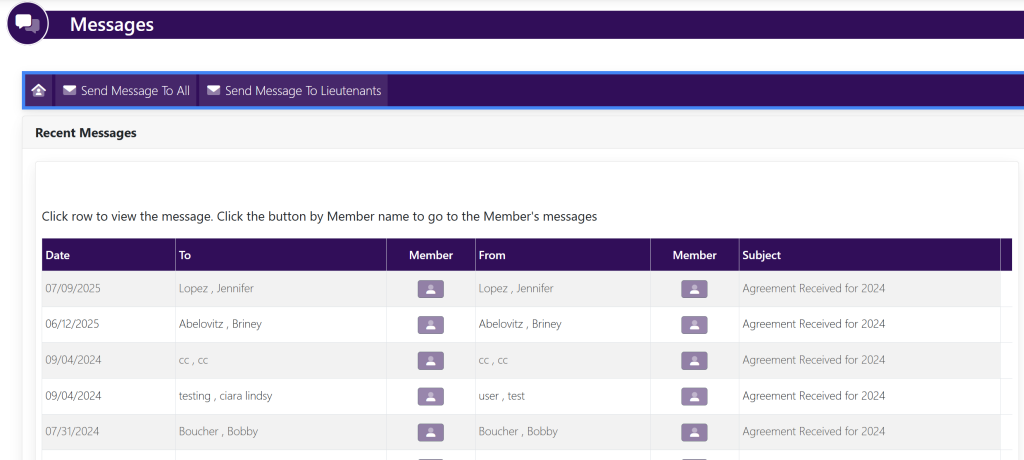
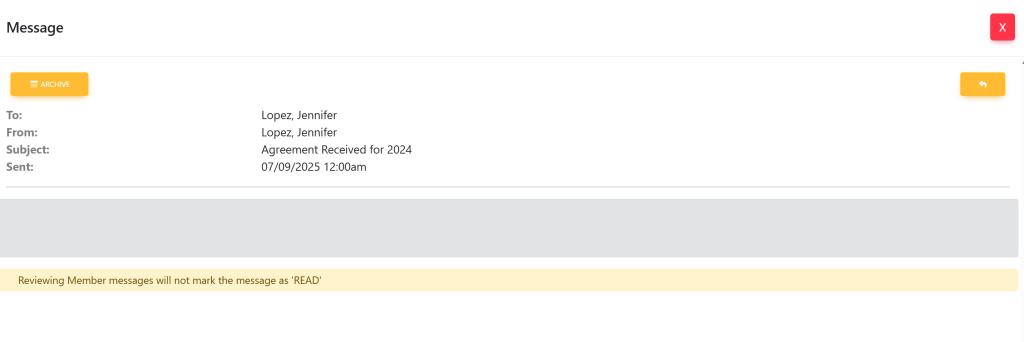
Select the message that you would like to view from this screen. A pop up will appear that looks like this:

Updated on July 14, 2025

Related Articles

  • Turn On/Off Opt Out/Opt In
  • Edit Login Page
  • How To Edit The Image On The Login Page
  • How To Edit The Text On The Login Page
  • Home (Member)
  • Home (Announcements)
© Copyright BayouNorth.
  • Features
  • Blocks
  • FAQ