
On the left-hand side of the screen in the navigation bar, select My Account. This will take you here:
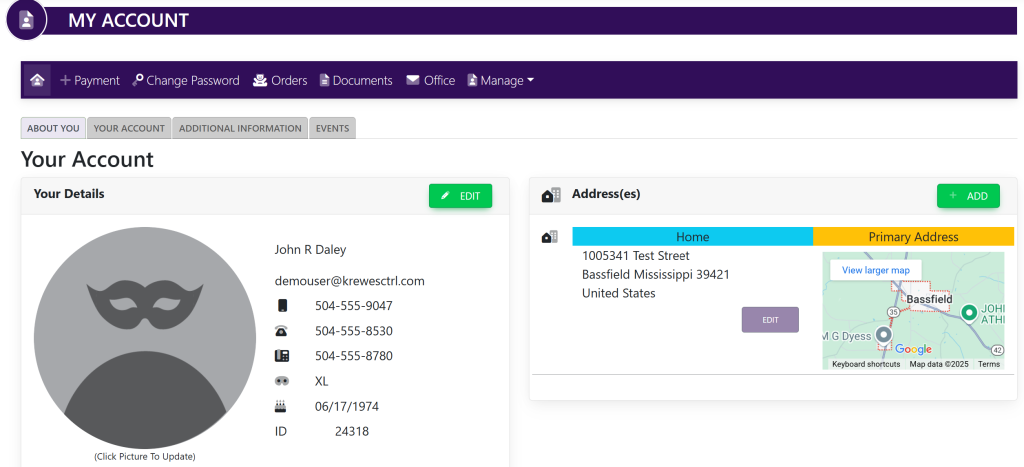
In the horizontal navigation bar, click + Payment. This will take you here:
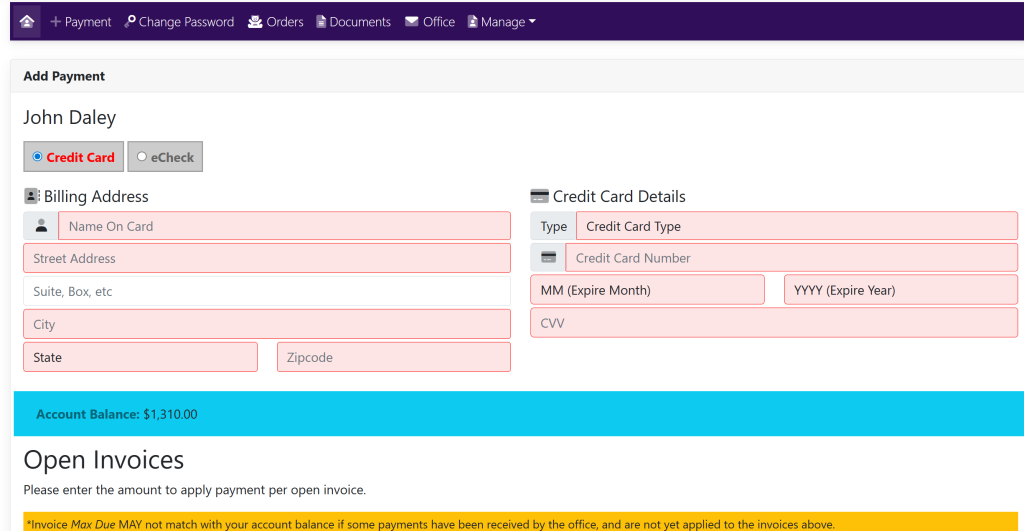
If your billing address and card information are not already filled in, follow the prompts to add that information.
Click on each box and type in the respective information.
- Street address
- Suite, box, etc (optional)
- City
- State
- Zipcode
- Credit Card Type
- Credit Card Number
- Name on Card
- MM (Expire Month)
- YYYY (Expire Year)
- CVV (3 digit security number on the back of card)
Type in the amount you are paying in the box next to the open invoice. See here:
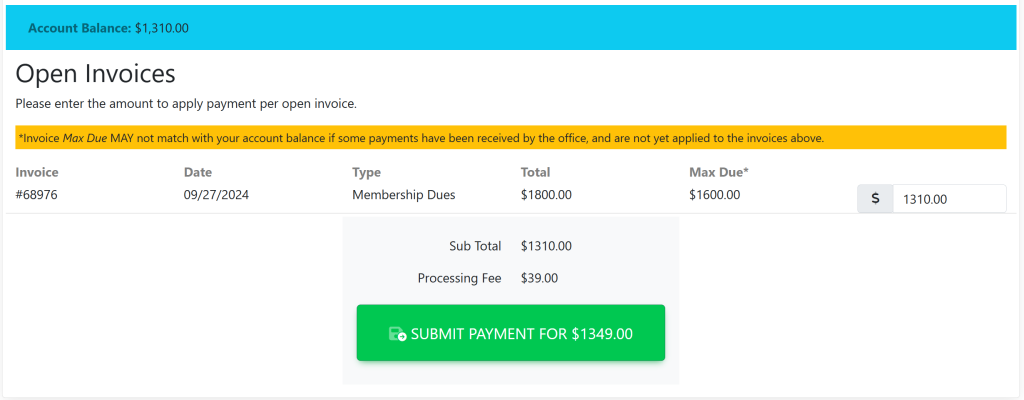
Click Submit Payment to finalize the payment.
These are samples.