
KREWES CONTROL MANAGEMENT SOFTWARE GUIDE
  • Administration
  • Glossary
  1. Home
  2. Knowledge Base
  3. My Account
  4. Member – Print Invoice
  1. Home
  2. Knowledge Base
  3. Invoices
  4. Member – Print Invoice
  1. Home
  2. Knowledge Base
  3. Administration
  4. Member – Print Invoice
  1. Home
  2. Knowledge Base
  3. Invoices
  4. Member – Print Invoice
  1. Home
  2. Knowledge Base
  3. Members
  4. Member – Print Invoice
Searching...

Member – Print Invoice

On the left-hand side of the screen in the navigation bar, select My Account. This will take you here:
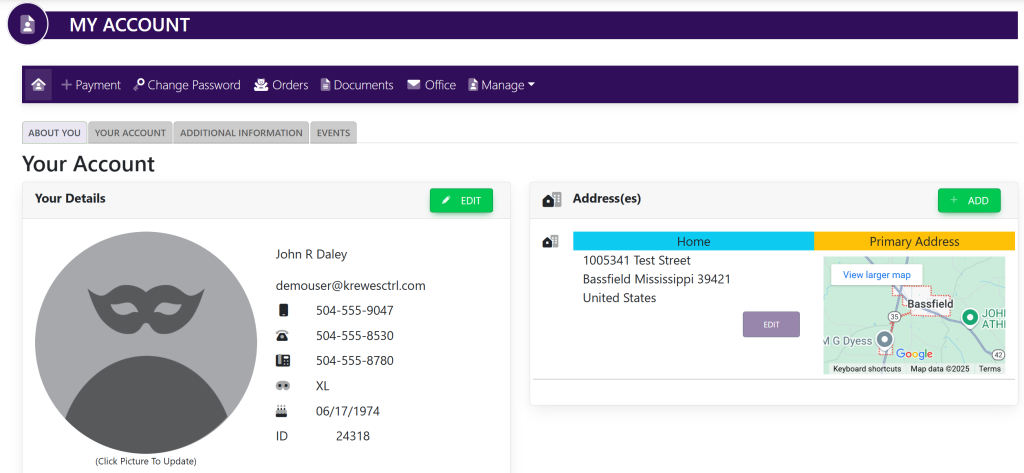
Select the Your Account tab. This will take you here:
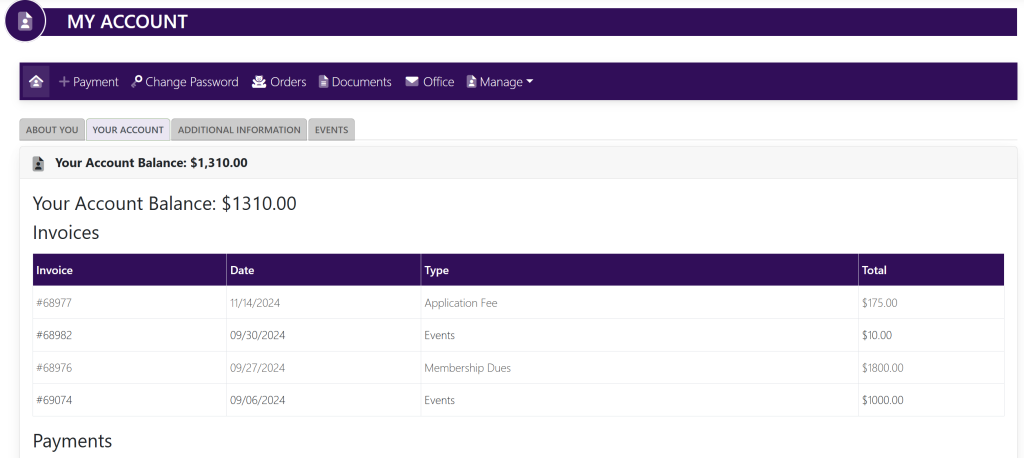
Select the invoice that you would like to print. This will take you here:
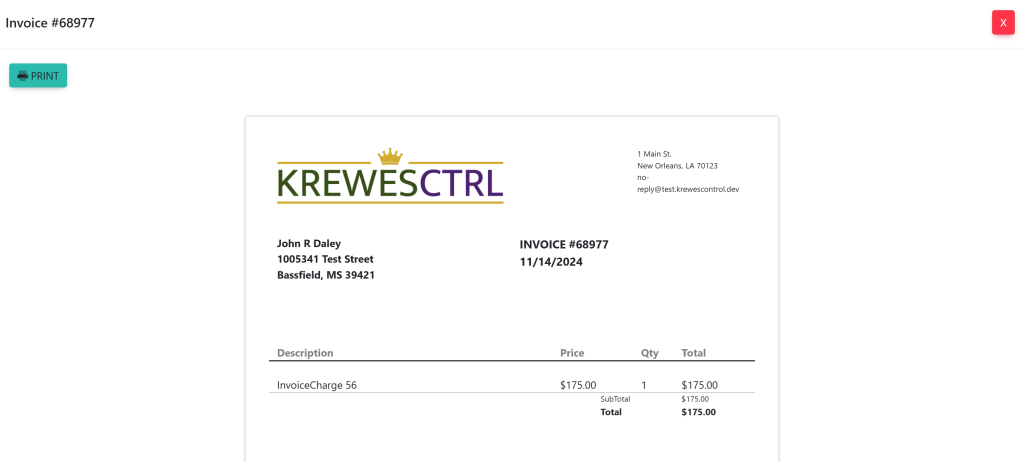
To print the invoice, click the blue Print button at the top left of the pop-up window.

These are samples.

Updated on July 9, 2025

Related Articles

  • Delete Invoice
  • Edit Invoice
  • Edit Payment
  • Add Payment Type
  • Setting Up ACH For A KrewesCtrl User With GrowSimple
  • FAQ: Invoices Are Not Being Created When Event Orders Are Created
© Copyright BayouNorth.
  • Features
  • Blocks
  • FAQ