
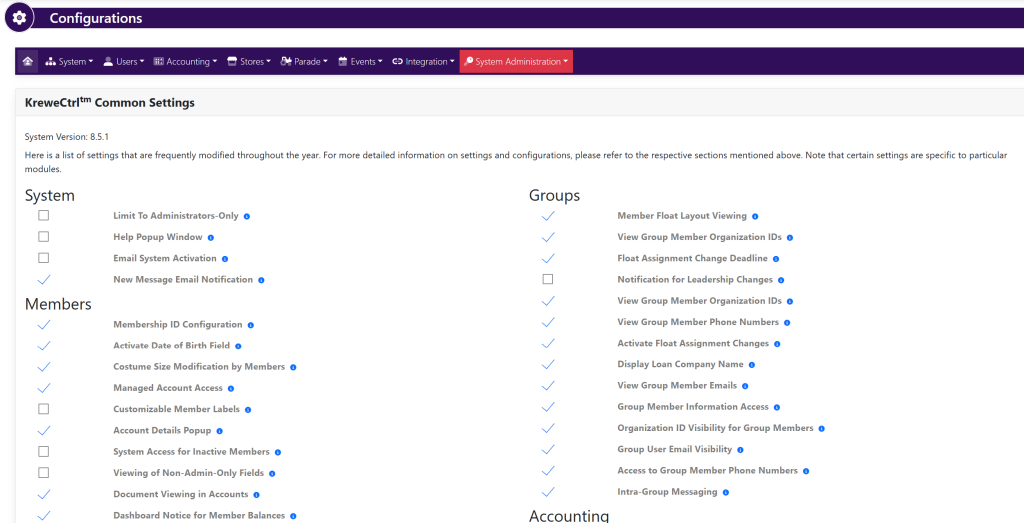
Go to Settings and Configurations at the top right of your screen. This will take you here:
In the horizontal navigation bar, select Stores. Then, select Configurations. This will take you here:
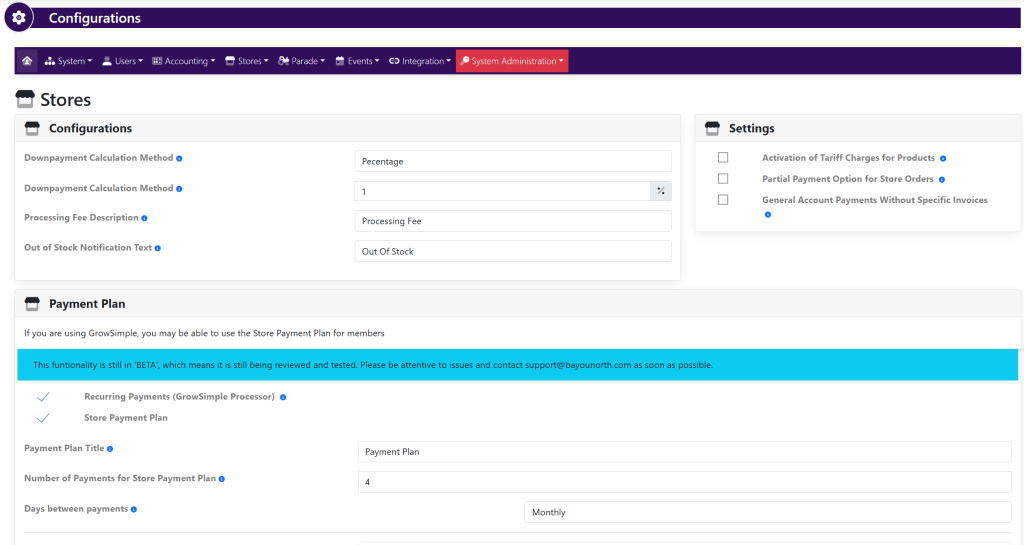
Within the Configurations box, select/deselect the desired settings:
- Downpayment Calculation Method (Percentage or Amount)
- Downpayment Calculation Method (The amount of the percentage or the amount in dollars)
- Processing Fee Description
- Out Of Stock Notification Text
Within the Settings box, select/deselect the desired settings:
- Activation of Tariff Charges for Products
- Partial Payment Option for Store Orders
- General Account Payments Without Specific Invoices
Within the Payment Plan box, select/deselect the desired settings:
- Recurring Payments (GrowSimple Processor)
- Store Payment Plan
- Payment Plan Title
- Number of Payments for Store Payment Plan
- Days Between Payments
- Payment Plan Content
Select the green button titled Update in each pop up that appears.