
When an administrator approves a substitute, there are a number of settings that can be activated for the steps automatically taken.
Click on the Settings icon (the gear) located to the right of the search bar. This will take you here:
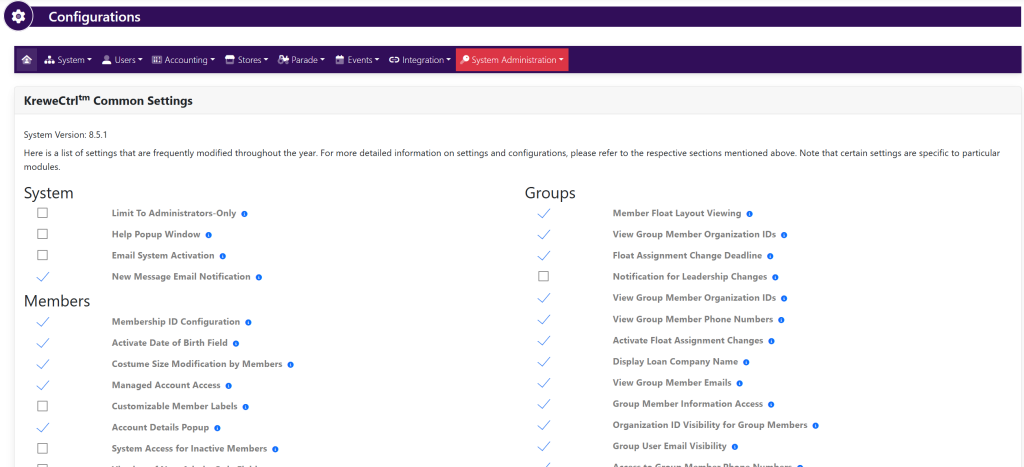
Within the horizontal navigation bar, select Users. Then, Substitute Process. This will take you here:
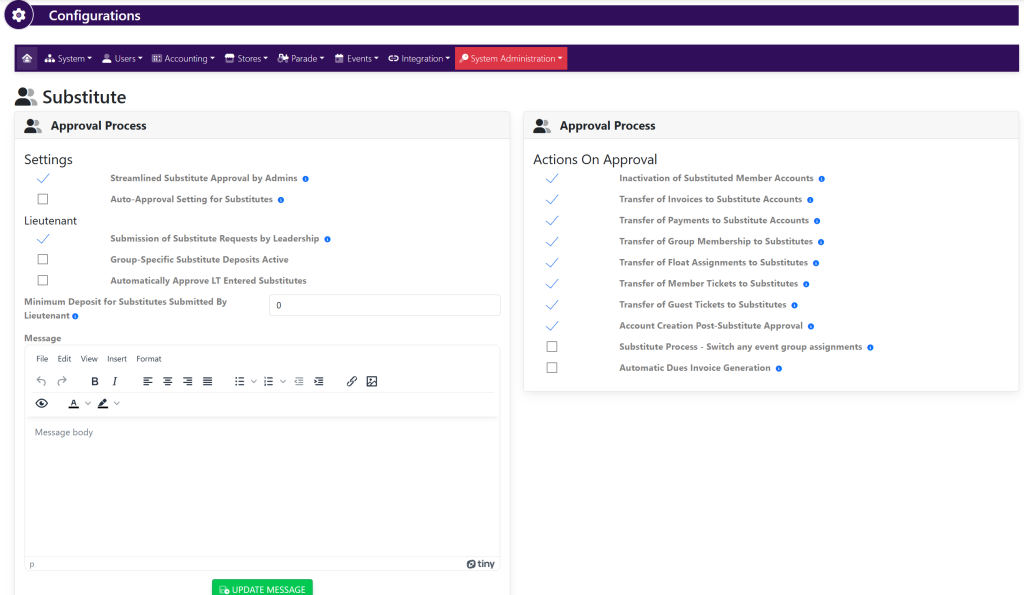
Settings for the Substitute Process include:
Approval Process – Settings
- Streamlined Substitute Approval by Admins (allows admins to automatically approve substitutes)
- Auto-approval Setting for Substitutes (allows the system to automatically approve substitutes to streamline the substitute process)
Lieutenant
- Submission of Substitute Requests by Leadership (enable group leaders to submit for substitute approval)
- Group-Specific Substitute Deposits Active
- Automatically Approve LT Entered Substitutes
Approval Process – Actions On Approval
The settings under Actions on Approval set the actions that happen during upon approval of a new Substitute.
- Inactivation of Substituted Member Accounts
- Transfer of Invoices to Substitute Accounts
- Transfer of Payments to Substitute Accounts
- Transfer of Group Membership to Substitutes
- Transfer of Float Assignments to Substitutes
- Transfer of Member Tickets to Substitutes
- Transfer of Guest Tickets to Substitutes
- Account Creation Post-Substitute Approval
- Substitute Process – Switch any event group assignments
- Automatic Dues Invoice Generation