
1. Home
  2. Knowledge Base
  3. Administration
  4. System Configurations
  5. View Active Store Products Within Multiple Stores
  1. Home
  2. Knowledge Base
  3. Administration
  4. View Active Store Products Within Multiple Stores
  1. Home
  2. Knowledge Base
  3. System Configurations
  4. Stores
  5. View Active Store Products Within Multiple Stores
  1. Home
  2. Knowledge Base
  3. Stores and Products
  4. View Active Store Products Within Multiple Stores

View Active Store Products Within Multiple Stores

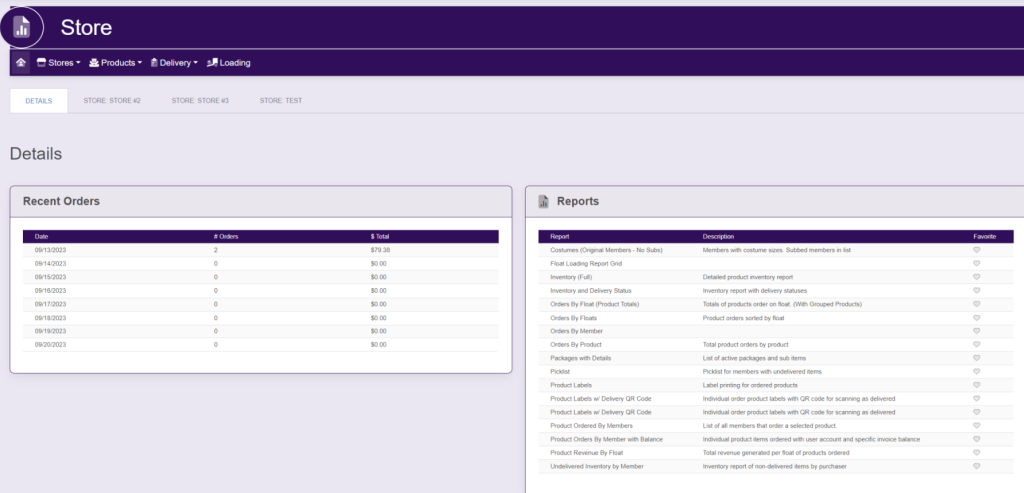
Within the left side bar under ACCOUNTS, select Store. This will take you here:
Within the horizontal navigation bar, select Products. A drop down will appear. Select Active List. This will take you here:
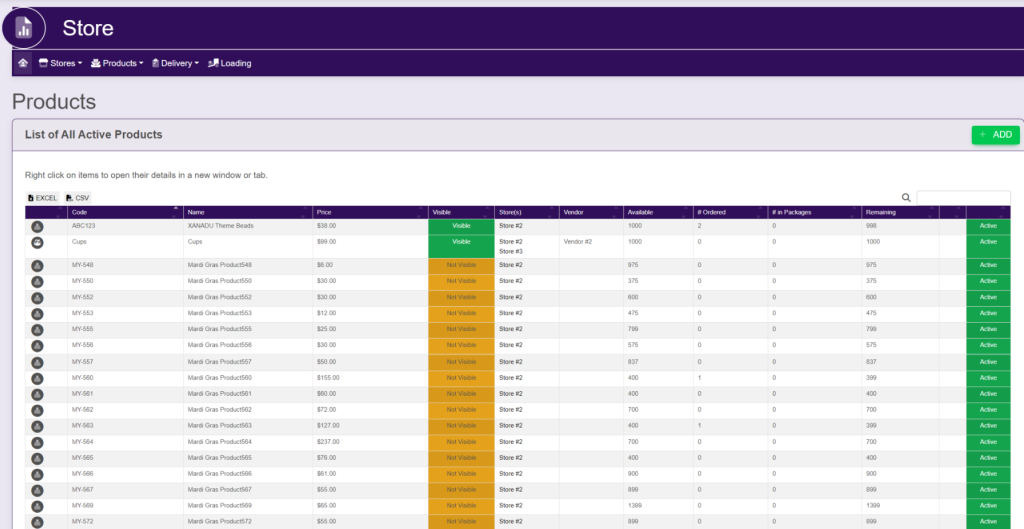
Within this list, which store that the product is located in will be listed.

Updated on July 15, 2025

Related Articles